Mind the gaps: a short guide to kerning
Look closely at a well-set headline and you will notice something you probably never noticed before: the letters are not spaced evenly. Some pairs sit closer together than others, and that unevenness is exactly what makes the word look even. The craft of adjusting those individual gaps is called kerning, and it is one of the quiet details that separates comfortable reading from text that feels slightly off.
Why equal spacing looks wrong
Every letter in a font comes with its own space on either side, chosen so that most combinations look balanced. Shapes with open sides, such as A, V, T, W and Y, break that balance. Put an A next to a V and their diagonal strokes leave a wedge of empty space between them, so the pair seems to drift apart even though the measured gap is the same as anywhere else.
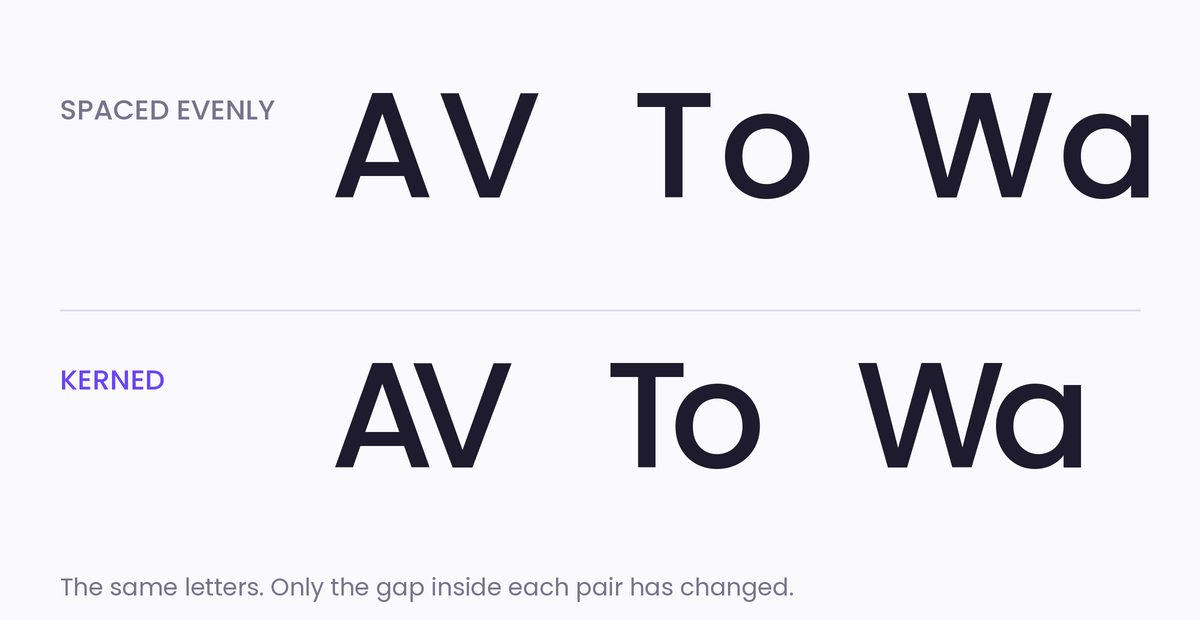
Kerning fixes this by moving one specific pair of letters closer together, or occasionally further apart. Our eyes judge the area of white space between shapes rather than the distance between their edges, so the goal is to make those areas feel alike.
Kerning, tracking and leading
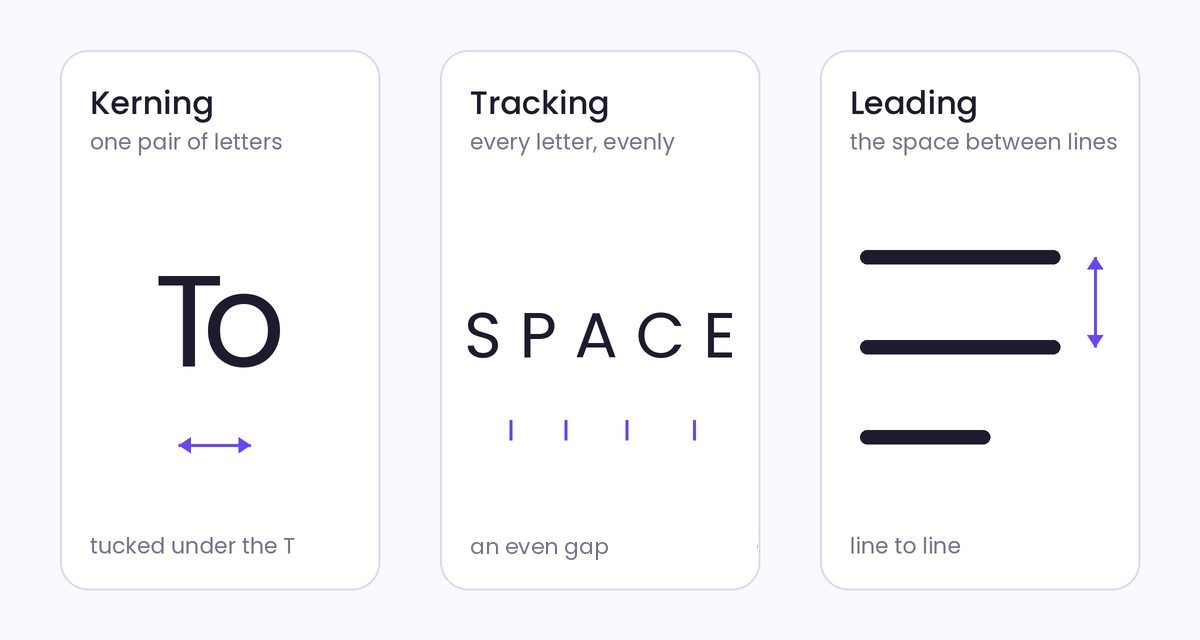
Three kinds of spacing are easy to mix up:
- Kerning changes the space between one particular pair of letters.
- Tracking, also called letter-spacing, changes the space evenly across a whole word, line or paragraph.
- Leading is the space from one line to the next. The name comes from the strips of lead that printers once placed between lines of metal type.
From metal type to font files
In metal type, every letter was cast on its own small block. A part of a letter that hung over the edge of its block, so it could tuck in beside its neighbour, was itself called a kern. Today the same idea lives inside the font file. Alongside the shapes of the letters, a digital font can store a list of letter pairs and how much to adjust each one. The details are set out in the OpenType specification, and a carefully made typeface may include thousands of these pairs.
Good spacing is invisible. You only notice it when it is missing.
A few practical tips
- Leave body text to the font. Its built-in kerning is designed for reading sizes.
- Look harder at headlines, logos and anything set large, where small gaps become obvious.
- Turn the word upside down, or blur your eyes. Without the meaning to distract you, uneven gaps stand out.
- Adjust the most awkward pair first, then judge the rest of the word against it.
Get it right and nobody will mention it. Get it wrong and someone will find the letters r and n squeezed into an m, a mistake typographers jokingly call "keming". For more on how type works, the Google Fonts Knowledge library is a friendly place to start.